Bybit P2P Bot
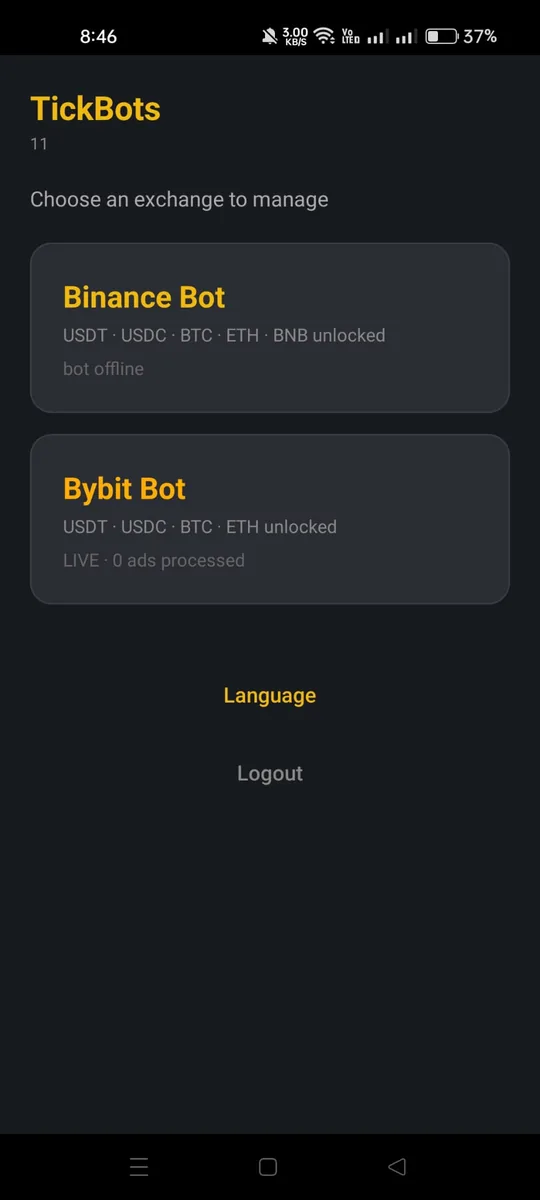
Bybit's P2P market moves fast and limits how often you can change an ad, so pricing by hand is hard. The Bybit P2P Bot is auto-repricing software for merchants. It watches the market every few seconds and re-prices as fast as Bybit allows, without hitting the limit. It runs on your Windows PC with an ads-only key that cannot touch your balance. You control it from the Android app.
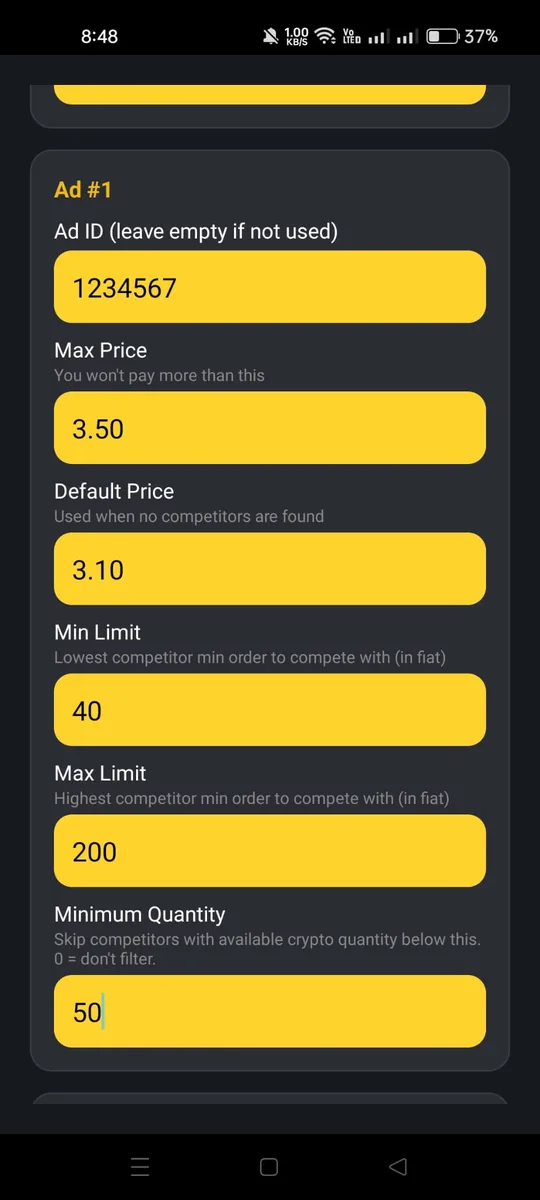
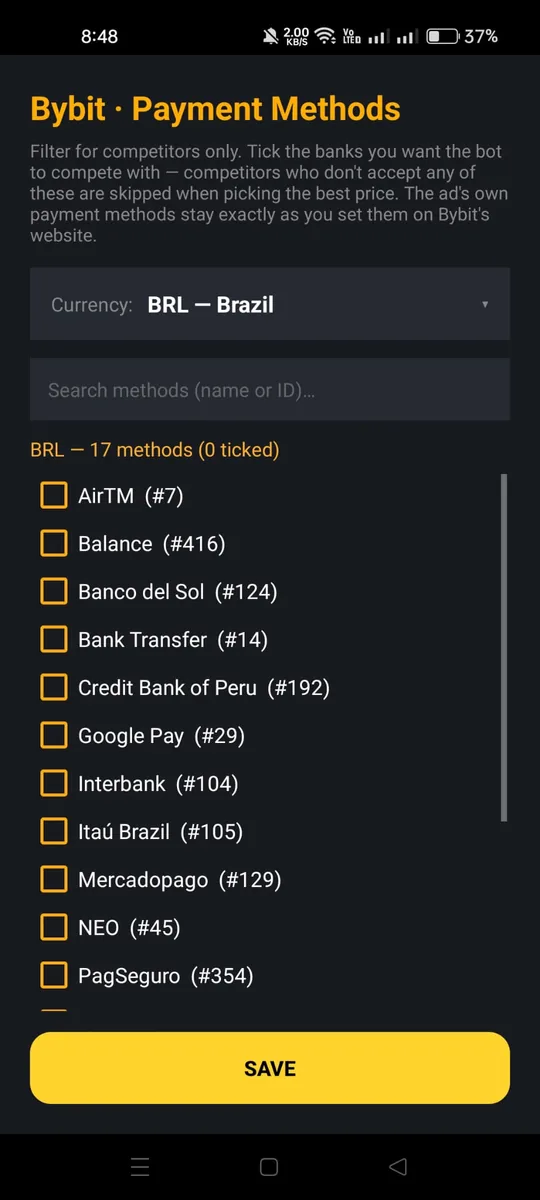
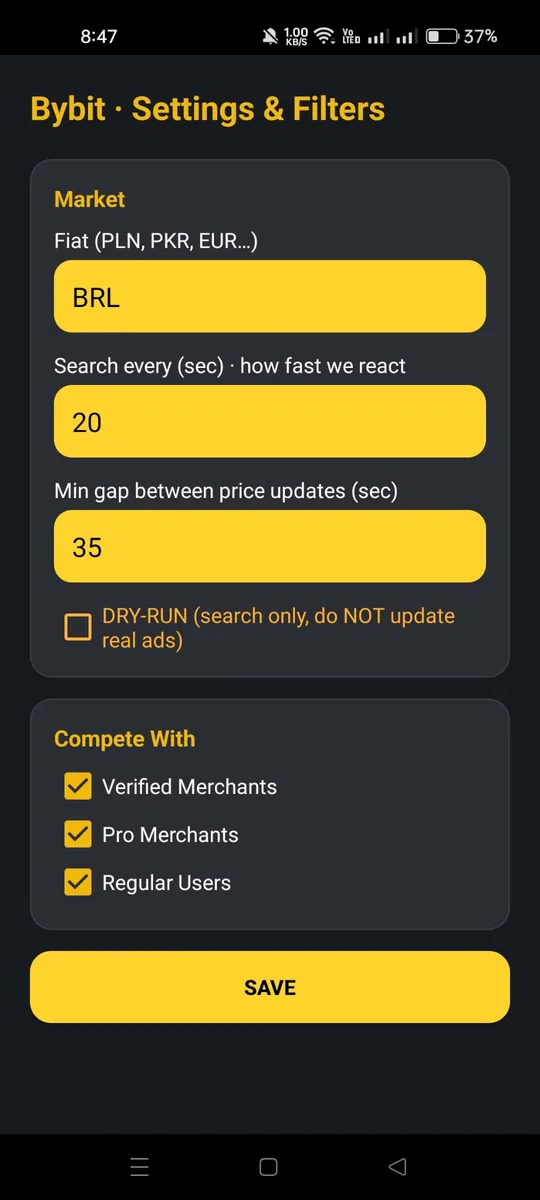
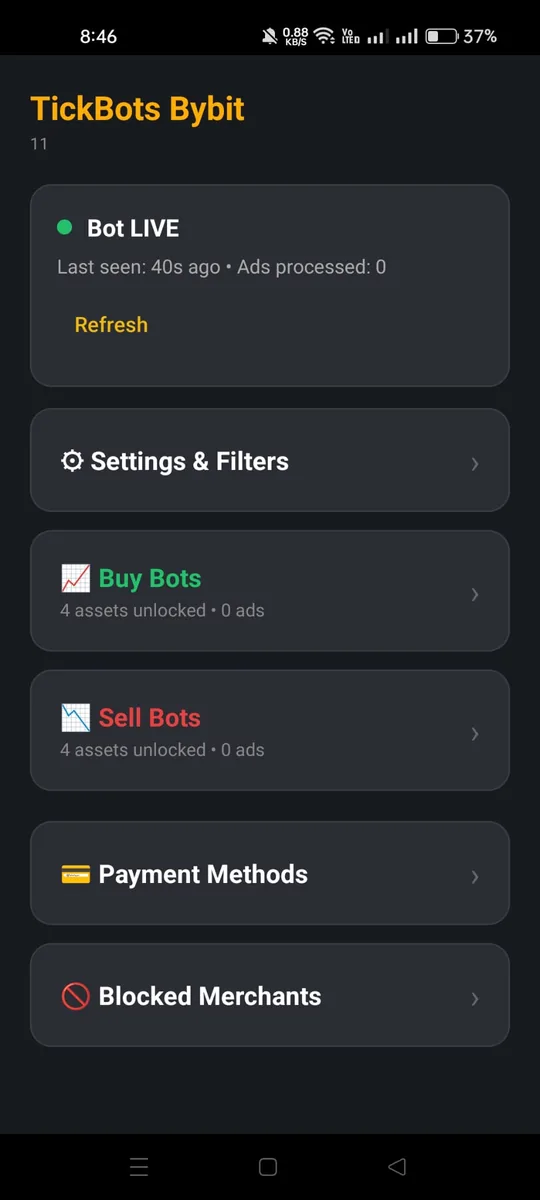
What it does
Fast, but safe from Bybit's limit
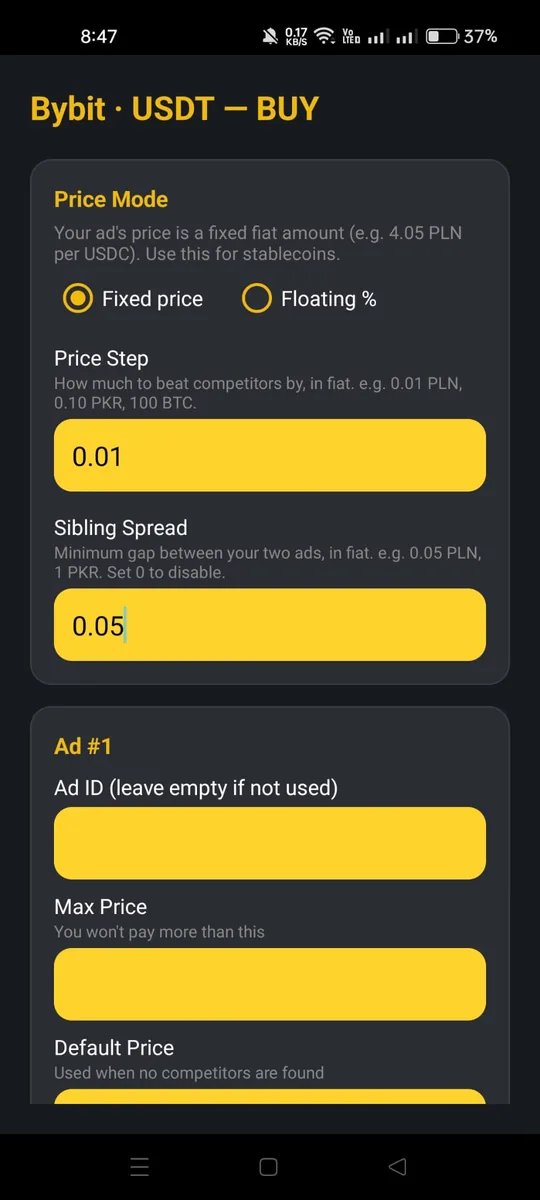
Bybit lets you change one ad about 10 times every 5 minutes. Go over that and your ad gets blocked or slowed. The bot uses two settings: how often it checks the market (a few seconds) and the smallest gap between real price changes (35 seconds by default). So it reacts fast, but only changes the price when it matters, and it stays inside the limit.
Built for Bybit's coins and prices
Bybit P2P uses USDT, USDC, BTC and ETH (there is no BNB). The bot supports all four. Every coin can run a fixed price or a floating price that follows the market — stablecoins included. You choose the mode for each coin, in each currency.
Run several currencies at once
One license can trade several currencies at the same time — for example PLN and EUR side by side. Each currency runs against its own market, with its own competition settings, payment methods, blocked merchants and price mode. Pick from 30 currencies, and add or remove one from the home screen at any time. A new currency arrives pre-filled with the right price step and sensible defaults, so it works from the first minute.
79 currencies with an easy payment picker
Bybit P2P supports 79 currencies, each with its own payment methods. The app has a search box for currencies and another for payment methods. Just tick the ones you accept. Your choices are saved even when you switch currency.
Payment methods for each ad
Set the payment methods you accept for all ads at once, then override any single ad with its own. An ad with its own methods competes only with merchants who offer them; the others use your shared list. The picker has a search box, so finding a bank among many is quick.
Beat diamond and blue-tick merchants
Diamond and verified merchants rank above you when prices are equal. The bot beats them step by step, up to the highest price you allow. If the next step would cross your limit, the bot stops chasing and prices against the best normal competitor instead. Your ad never sits just below a diamond merchant where it gets no orders.
Block competitors by ID
Names can change, but account IDs do not. You can block a competitor by their Bybit account ID, so they stay blocked even if they change their name.
As many ads per side as you want
Every coin starts with 2 buy ads and 2 sell ads, and one tap adds another — we set no limit of our own. You run as many ads as your merchant account allows; if the exchange refuses one, you see its exact message. And if two of your own ads get too close, the bot keeps a safe gap so they never cancel each other.
Your money stays safe
The bot uses a Bybit key with only the “Fiat Trading (Ads)” permission. It can read the market and edit your own ads, nothing else. No withdrawals, no trading. Even if the key leaked, it cannot move your money. The key stays on your PC.
Practice first with dry-run mode
Not sure yet? Start the bot in dry-run mode. It watches the market and writes down every price change it would make, but it does not touch your ads. When the moves look right to you, switch to live with one setting.
Watch every decision, live
The Windows app shows a live log for every coin and every side, with a countdown timer for each ad, so you always know when the next check comes. Every line has a time stamp. No black box: you can read exactly why the bot moved your price.
The bot speaks your language
The Windows app and the Android app work in English, Spanish, Portuguese, Russian and Ukrainian. Switch the language in the app and everything follows, including the help texts.
The app updates itself
When a new version is out, the app offers a one-tap update instead of deleting and reinstalling. Your settings stay exactly as they were, so updating never disturbs your setup.
How it works
Setup takes about 5 minutes. It works like the Binance bot, with Bybit keys.
- Install the Windows bot and the Android app.
- Make a Bybit API key with only “Fiat Trading (Ads)” turned on.
- Enter your TickBots license in the app and pick Bybit.
- Set your currency, coins, check speed, price limits and filters.
- Start the Windows bot. It prices your ads fast and keeps them near the top.
Requirements
- A Windows 10 or 11 PC that stays on (a cheap VPS works too).
- An Android phone for the control app.
- A Bybit P2P advertiser account.
- A Bybit API key with only “Fiat Trading (Ads)” turned on (we show you how).
Frequently asked questions
What is a Bybit P2P bot?
A Bybit P2P bot is software that automates your P2P ads on Bybit. It watches the competing ads and updates your own ad price automatically, so you stay near the top without editing prices by hand. TickBots does this in race mode while staying inside Bybit's rate limits.
Will it hit Bybit's limit and get my ad blocked?
No. It is built around Bybit's limit of about 10 changes every 5 minutes. It checks the market fast but leaves a safe gap between real price changes.
How fast does it react?
You set the check speed in seconds (20 by default) and the smallest gap between changes (35 seconds). Much faster than pricing by hand, and still safe.
Which coins does it support?
USDT, USDC, BTC and ETH. Bybit P2P has no BNB, so it is not here.
How many currencies and payment methods?
All 79 currencies Bybit P2P supports, each with its own payment methods. The app has a search box, so you tick only what you accept.
Can the bot take my money?
No. It uses an ads-only key. It has no withdraw or trade permission, so even a leaked key cannot move money.
Is this a subscription?
No. It is a one-time purchase. No monthly fee and no expiry.
Do you help with setup?
Yes. Full setup support is included with every purchase. We help you set up the Windows bot and the mobile app step by step, over WhatsApp or email, until everything runs. The guides show every screen, and if you get stuck we walk you through it.
How do I get the files after paying?
Pay in USDT (TRON) or USDC (Arbitrum). As soon as we see the payment, the page gives you a private download link for the Windows bot and the Android app.